The setup guide on Home
After setup, Home shows Get Wekks working. Each step ticks itself once it’s really done, so there’s nothing to tick by hand. You can open any step in any order.
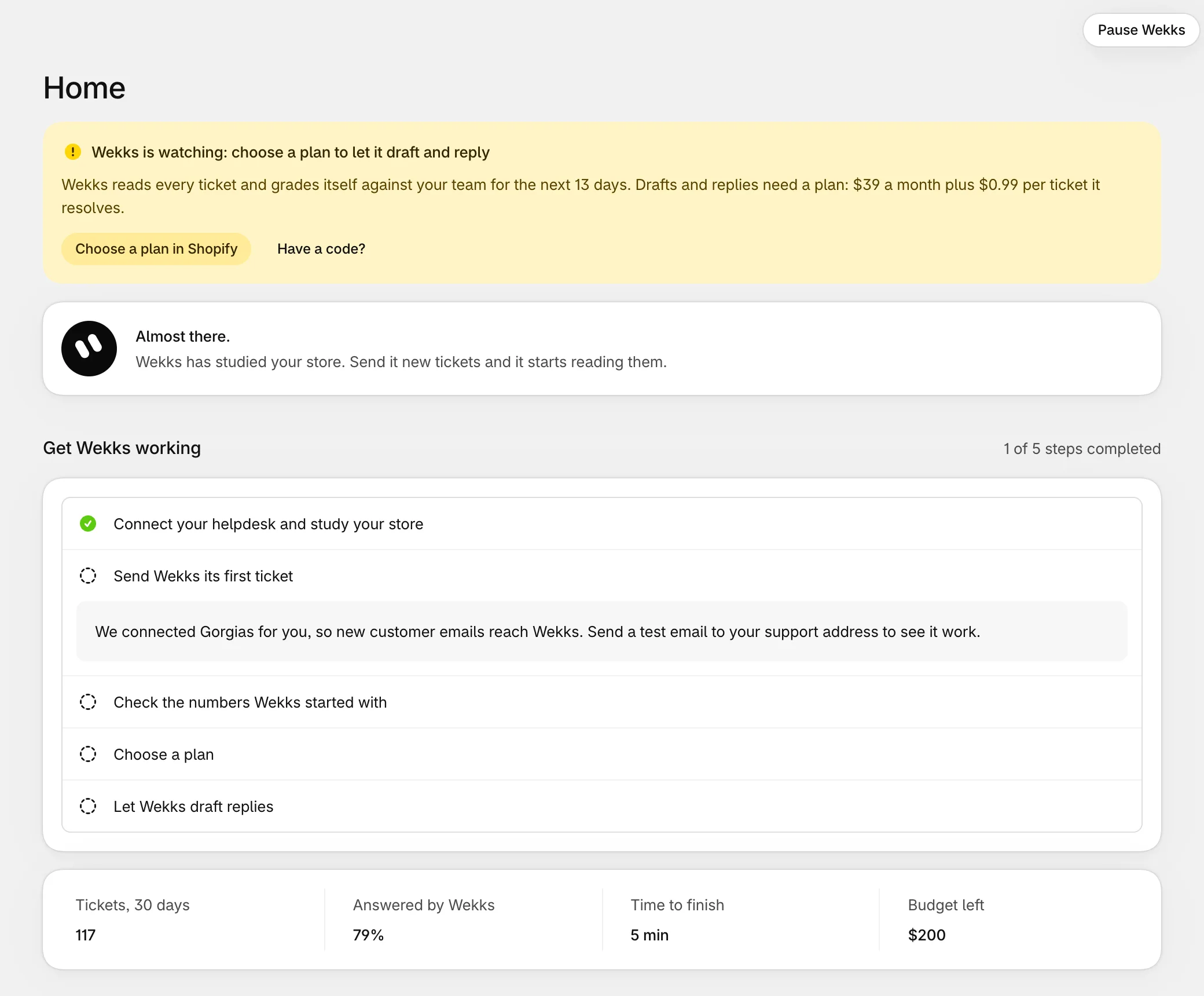
Send Wekks its first ticket
Send a test email to your support address, from an address that isn’t a no-reply one. Within a minute or so it appears on the Tickets page.
Most stores see this happen on its own, as real customers write in. Nothing goes back to the customer, because every play is in Watch.
If nothing appears, Gorgias may need its integration added by hand: this step of the guide then lists the exact values to use. See Troubleshooting.
Check the numbers Wekks started with
Where your policies give a number, like a return window, Wekks uses it. Where they don’t, it starts from a sensible default and asks you to confirm it.
Open Plays. Any play with a number to check says so in amber, such as “2 numbers to confirm”. Open the play, select the marked step, then either select Keep it or change the number. More on editing a play.
Choose a plan
Wekks watches for free for your first 14 days. Drafting and replying need a plan, which you choose in Shopify. The plan has its own free trial. See what it costs.
If we gave you a code, select Have a code? to add your credits.
If you don't choose a plan
Once the first 14 days end, Wekks stops taking tickets and your team answers them as before. Choose a plan any time and it picks up the next ticket, with everything it learned kept.
Let Wekks draft replies
When you’re ready, select Let Wekks draft replies. Every play still in Watch moves to Draft, and from then on someone on your team approves each reply before it goes out.
If Wekks can’t change orders yet, the button reads Allow in Shopify and let Wekks draft, and Shopify asks you once to allow it. This doesn’t mean order changes go through on their own: a person approves each of those too.
You don’t have to do this in your first week. Plenty of stores let Wekks watch for longer first.
What good looks like
After a week or two, open Plays and read the Record column. A play in Watch shows how often Wekks agreed with your team. When it has done well on enough tickets, the play shows Ready for Draft. Here’s how that’s worked out.