Finding a ticket
Tickets works like Orders in your admin. The buttons at the top filter the list, and the search box looks through subjects, customers and topics. Select a row to open the ticket.
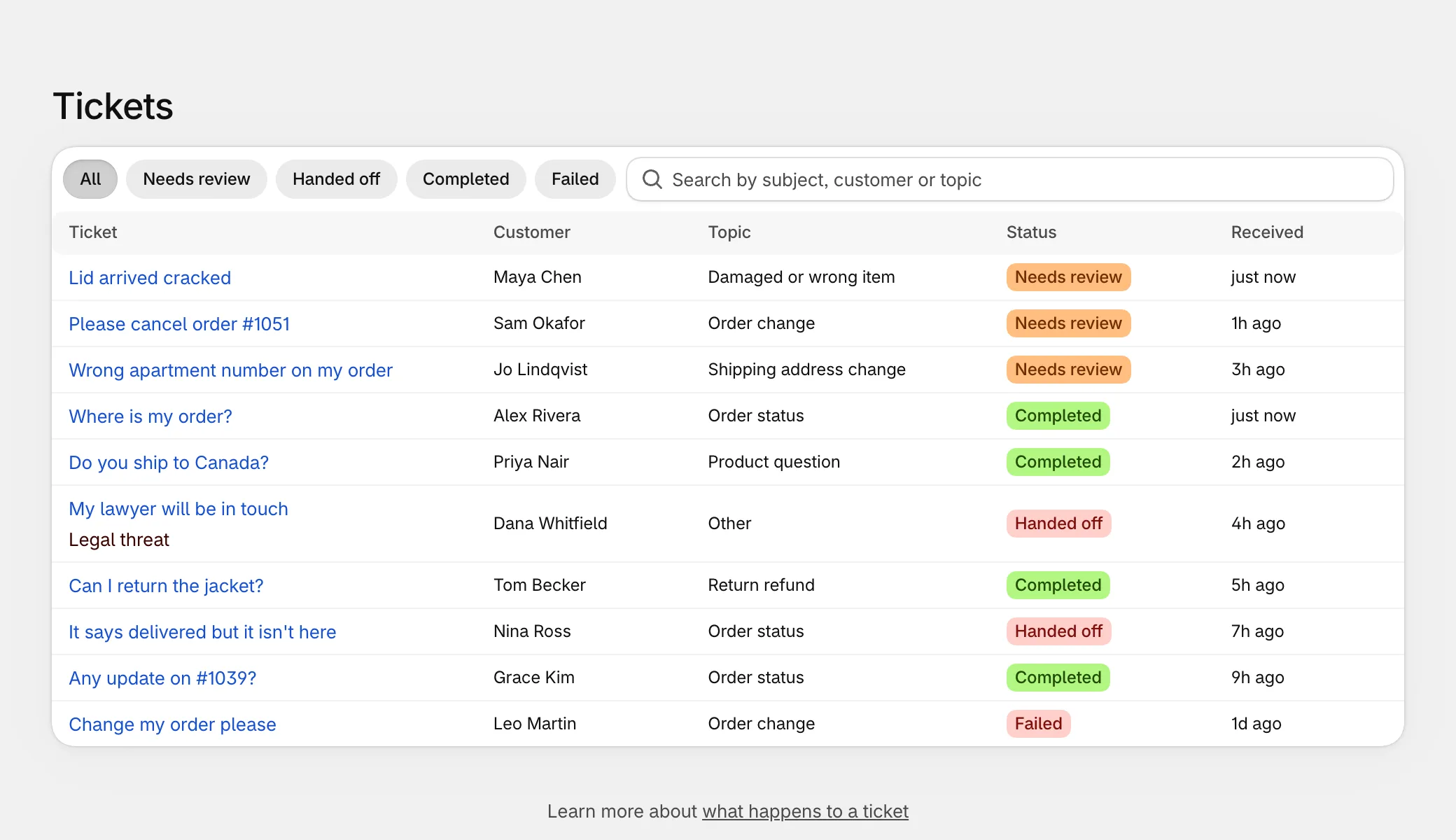
The page searches the latest 200 entries. A ticket Wekks worked twice has two. For older tickets, look in Gorgias.
What the statuses mean
| Status | What it means | What to do |
|---|---|---|
| Needs review | Wekks did the work and is waiting for a person. | Approve or reject it. |
| Handed off | It’s with your team in Gorgias. | Answer it in Gorgias. |
| Completed | Finished. In Watch, Wekks finished its answer and sent nothing. Tickets it skipped, such as a play set to Off, show here too. | Nothing. |
| Working | Wekks is on it. | Nothing. |
| Failed | Something went wrong. | Open it and select Run again. |
| Cancelled | A newer message or a teammate’s reply replaced this work. | Nothing. |
Reviewing a draft
Tickets that need a person appear on Home under Waiting on you, and under Needs review on the Tickets page. Anyone with access to Wekks can review them.
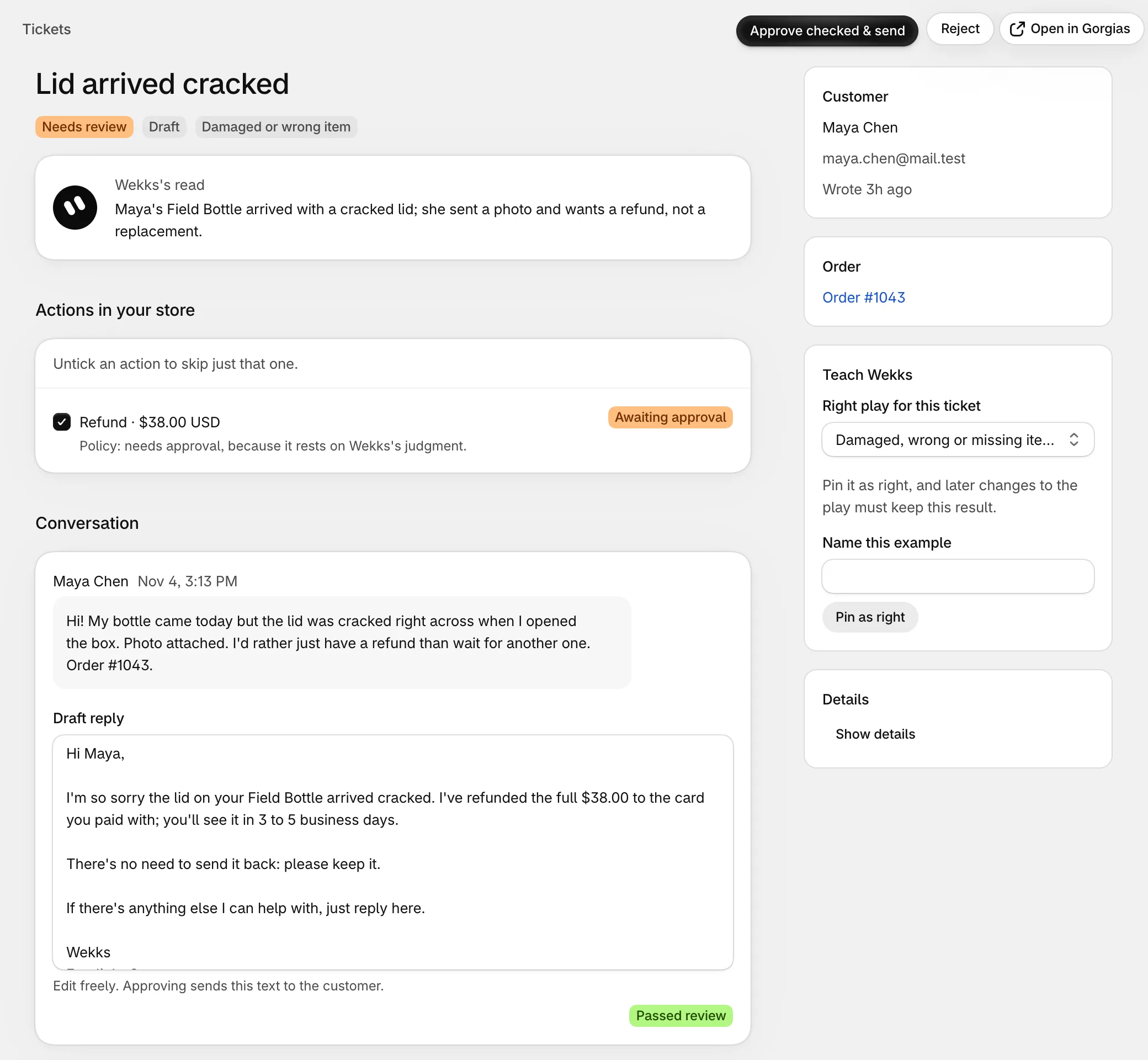
- Approve and Reject stay at the top of the page. In your Shopify admin they sit in the title bar, like Fulfill on an order.
- Wekks’s read is the ticket in one sentence.
- Actions in your store lists anything waiting to happen, with the reason it needs you.
- Draft reply is what the customer will get. Edit it freely.
- Teach Wekks and the customer and order details sit on the side.
To approve
- Read the draft, and change anything you like.
- Untick any action you don’t want. The rest still go ahead.
- Select Approve & send, or Approve checked & send when there are actions.
The reply goes out, the ticked actions run in your store, and the next waiting ticket opens by itself.
If an action fails, Wekks holds the reply and hands the ticket to your team with a note.
Replacements work differently, because your team creates them. Approving one sends the reply, then hands the ticket to your team with a note naming the items.
If you untick an action, check the reply
The draft may still say “I’ve refunded you”. The approve button stays off until you’ve edited the reply to match.
A draft also appears in Gorgias as an internal note, but approving happens in Wekks.
To reject
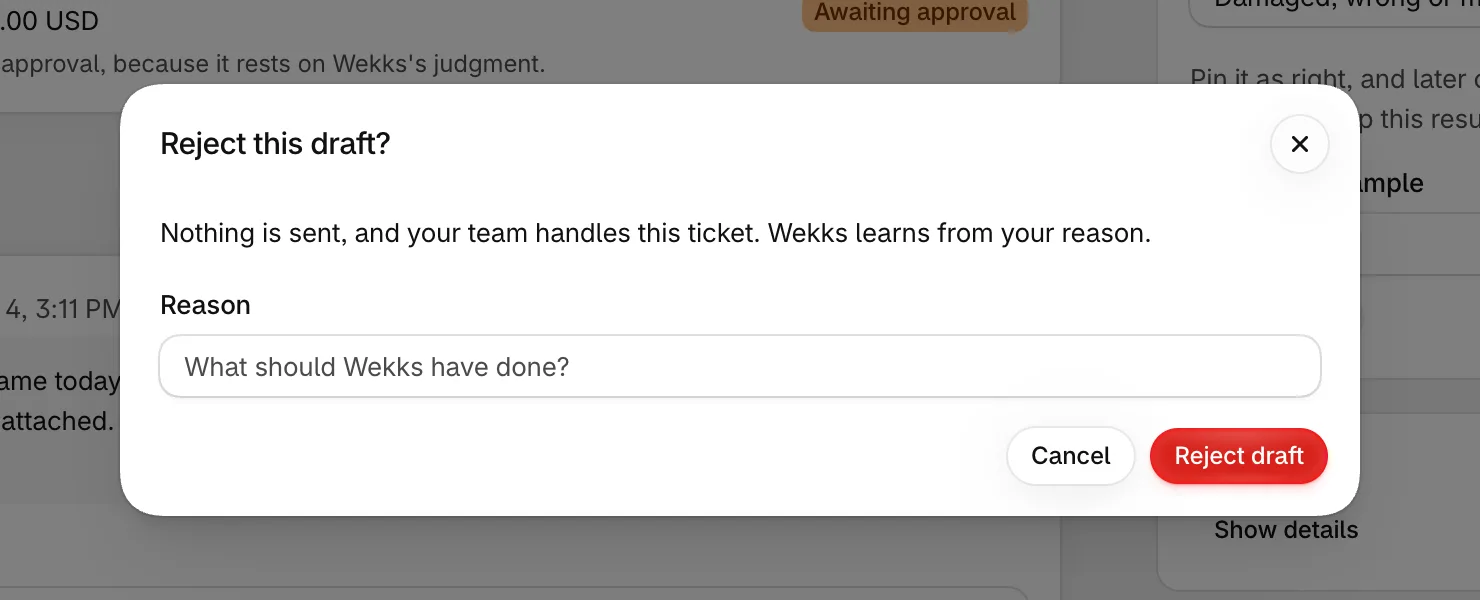
Select Reject and say what Wekks should have done. A reason is required, and it stays on the ticket. Nothing is sent, and Wekks stays out of that conversation.
Answer it in Gorgias
Rejecting doesn’t reopen or tag the ticket in Gorgias, so make sure someone picks it up.
If someone gets there first
A draft only makes sense while the conversation hasn’t moved on:
- A teammate replies in Gorgias: the draft is dropped, and your team has the conversation.
- The customer writes again: the draft is dropped, and Wekks answers again with the new message.
In Auto
In Auto the reply goes out on its own, but some actions still wait for a person. These tickets show Needs review too. The reply has already gone, so you’re only approving the action. If you turn it down, Wekks writes to the customer to say so. If an approved action fails, the ticket goes to your team with a note, because the customer is waiting to hear.
Seeing how Wekks decided
Open any ticket to see the conversation, what Wekks made of it, and each step it took. How Wekks decided shows the path through the play, with the customer’s own words for each judgment.
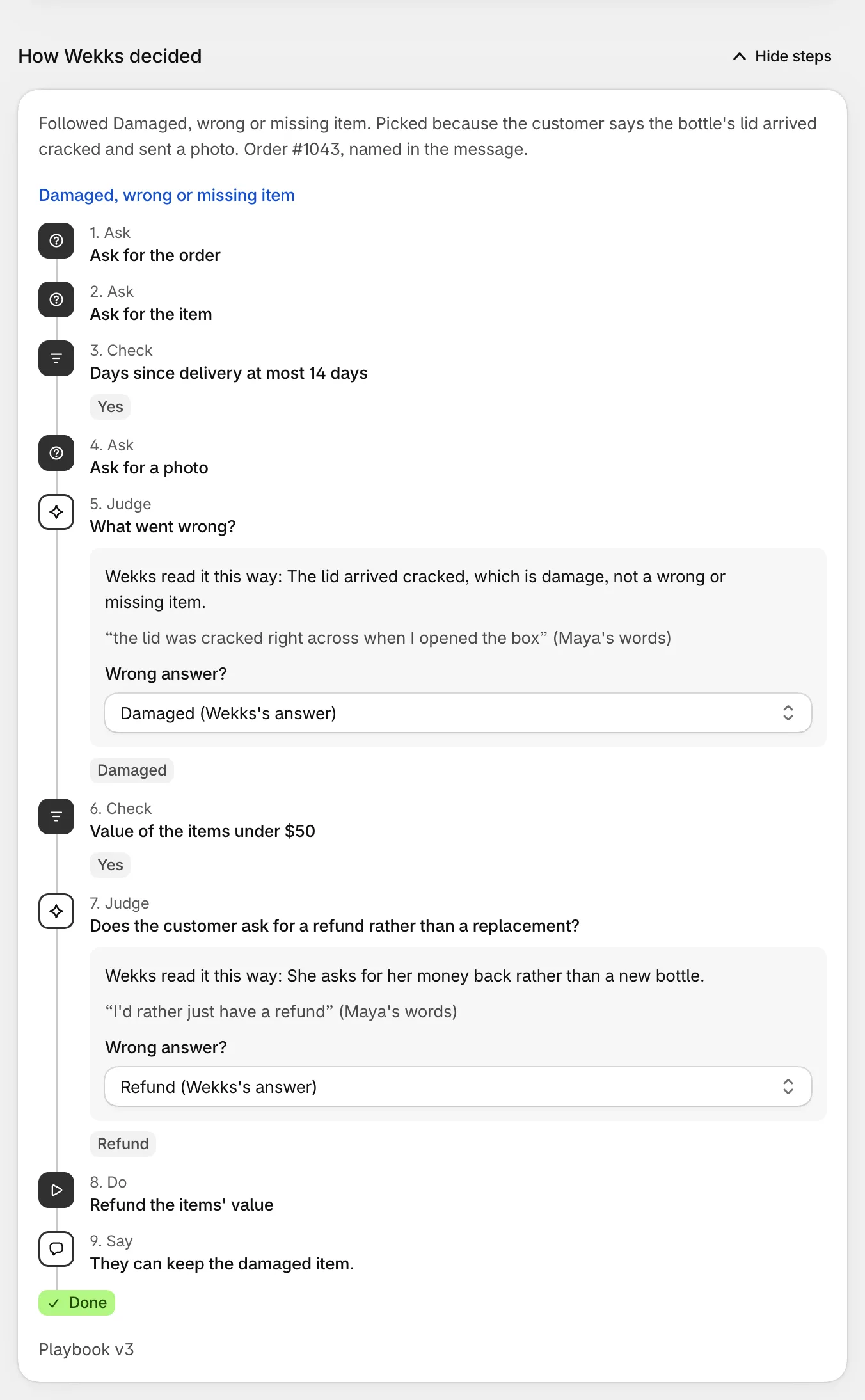
Links on the ticket go straight to the order in Shopify, the customer, and the conversation in Gorgias.
Teaching Wekks
On any ticket, you can tell Wekks what it got wrong. It uses these corrections as examples on later tickets.
- Wrong answer? Under a judgment in How Wekks decided, choose the answer it should have given.
- Right play for this ticket. If it followed the wrong play, pick the right one.
The store’s owner can also select Pin as right to save a good decision. Any later change to the play is checked against it. See pinned examples.
Compared with your team
For a ticket in Watch, Wekks compares its answer with what your teammate did. The result shows on the ticket:
| Result | Meaning |
|---|---|
| Matched your team | It would have done the same. |
| Better than your team | It would have done better. |
| Partly matched | Some of it was the same. |
| Didn’t match | It would have done something else. |
| Couldn’t grade | There wasn’t enough to compare. |