The modes
| Mode | Customer sees | What happens |
|---|---|---|
| Off | Nothing | Wekks leaves these tickets to your team. |
| Watch | Nothing | Wekks works the ticket and compares its answer with your team’s. It posts nothing, not even in Gorgias. |
| Draft | Nothing until a person approves | Wekks writes the reply and lines up any actions. Someone approves each one. |
| Auto | The reply | The reply goes out on its own if it passes review. Some actions still wait for a person. |
If a reply in Auto fails the review before sending, it becomes a draft for a person instead.
Changing a mode
Use the Mode dropdown on the Plays page, or How much it may do on the play. It saves at once. Only the store’s owner can change it.
To move everything from Watch to Draft in one go, use Let Wekks draft replies on Plays or in the setup guide.
When a play is ready
Wekks tells you when a play’s record has earned the next step. Moving up is always your call.
| Move | What Wekks looks for, in the last 30 days |
|---|---|
| Watch to Draft | At least 20 graded tickets, agreeing with your team at least 90% of the time |
| Draft to Auto | At least 30 drafts decided, at least 95% of them sent without changes |
When that’s true, the play shows Ready for Draft or Ready for Auto.
A Watch ticket is only graded once a teammate has replied to it, so quiet plays take longer to build a record.
When Wekks moves a play back
Wekks moves a play from Auto back to Draft by itself if your team changes its work on two tickets in a week, or if an action it decided fails. Moving it up again is your call.
Letting Wekks change orders
Installing Wekks gives it read-only access. To refund, cancel or change an address, Shopify needs to allow order changes. You do this once, through Let Wekks draft replies, and Shopify asks you to confirm.
Until then, replies can still draft or send as each play allows, but a ticket that would change an order stays in Watch. Settings → Connected accounts shows which you have: Reads only or Reads and changes orders.
Money and judgment
On each play you’ll see this box, ticked by default:
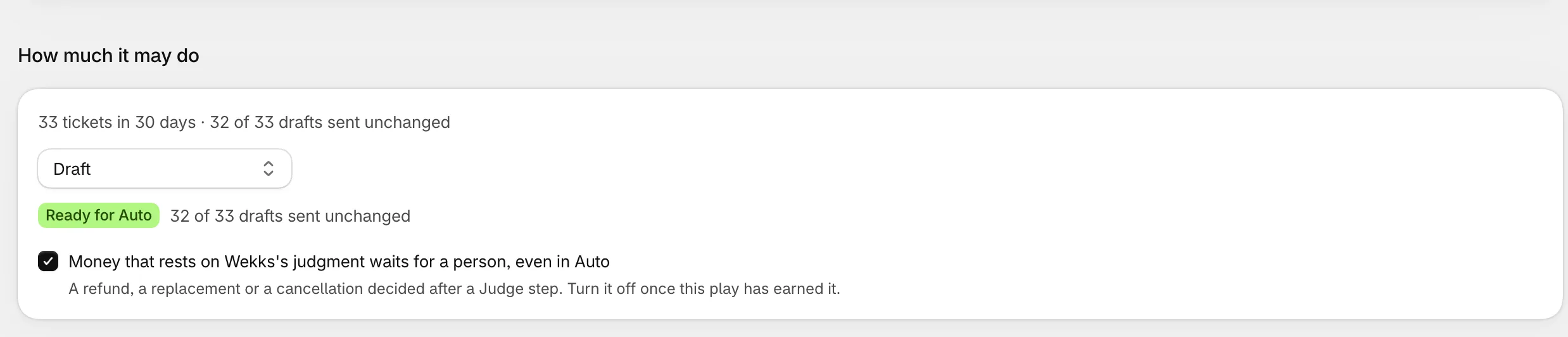
It holds any refund, replacement or cancellation that rests on the AI’s judgment.
Unticking it changes nothing today. These actions always need a person because of a rule on every store.
What the modes cost
Off and Watch are never charged per ticket. Draft and Auto are charged only when Wekks finishes the job. See what counts as a resolved ticket.