What Home shows
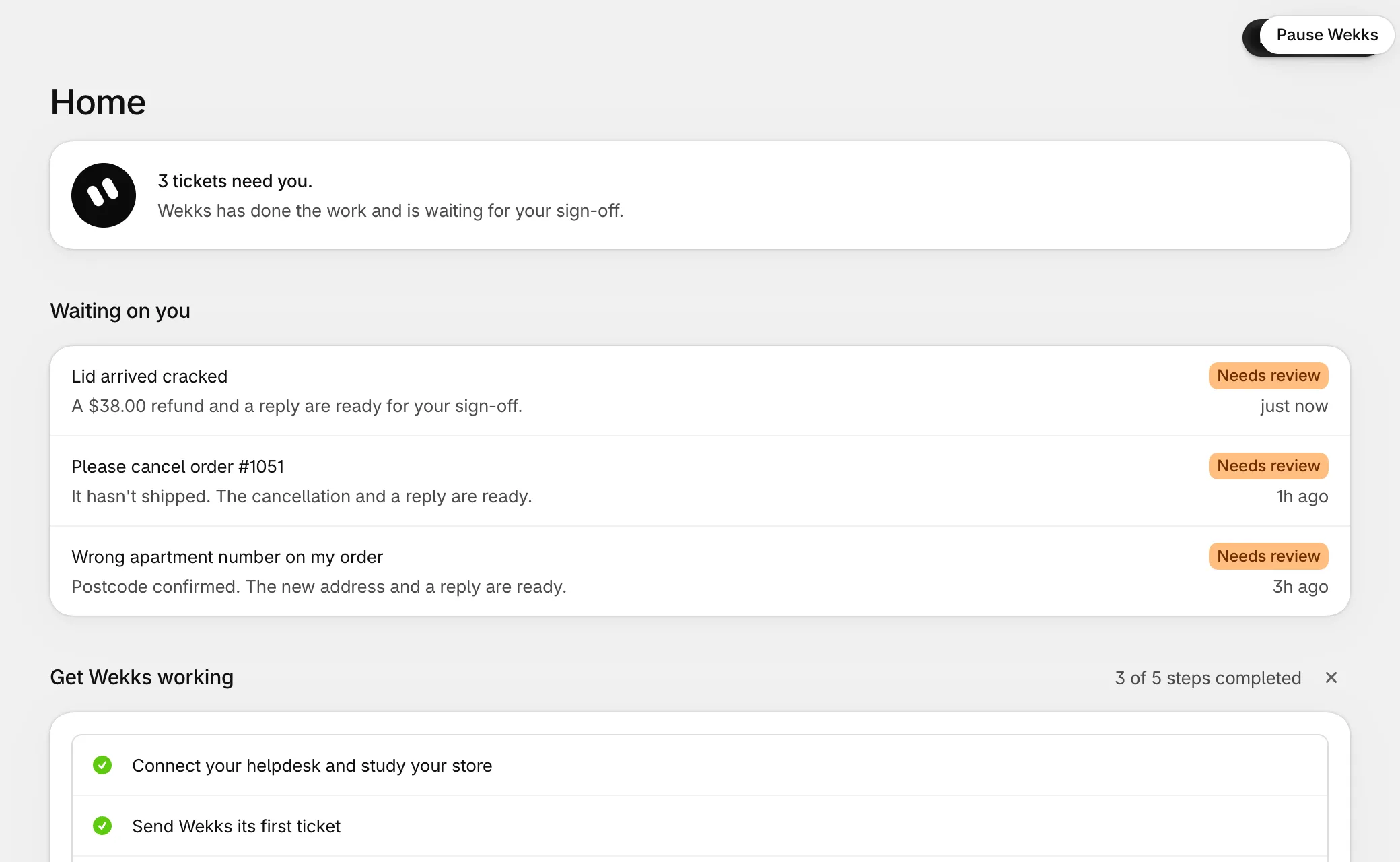
From top to bottom:
- Banners, when something stays true for a while: you’re paused, you have no plan yet, or your budget is nearly used.
- How Wekks is doing. “Wekks is on it!” means all is well. “3 tickets need you.” means drafts are waiting.
- Waiting on you. Tickets to approve. The Review tickets button at the top opens the first one.
- Get Wekks working. The setup guide, until it’s finished or you dismiss it.
- The last 30 days. Tickets, the share Wekks answered, time to finish, and your budget.
- In your plays. A policy that changed, a play ready to move up, or tickets that reached an open end.
- Lately. The latest finished tickets.
Pausing Wekks
Select Pause Wekks at the top of Home, or Pause in Settings. It takes effect straight away. Only the store’s owner can do this.
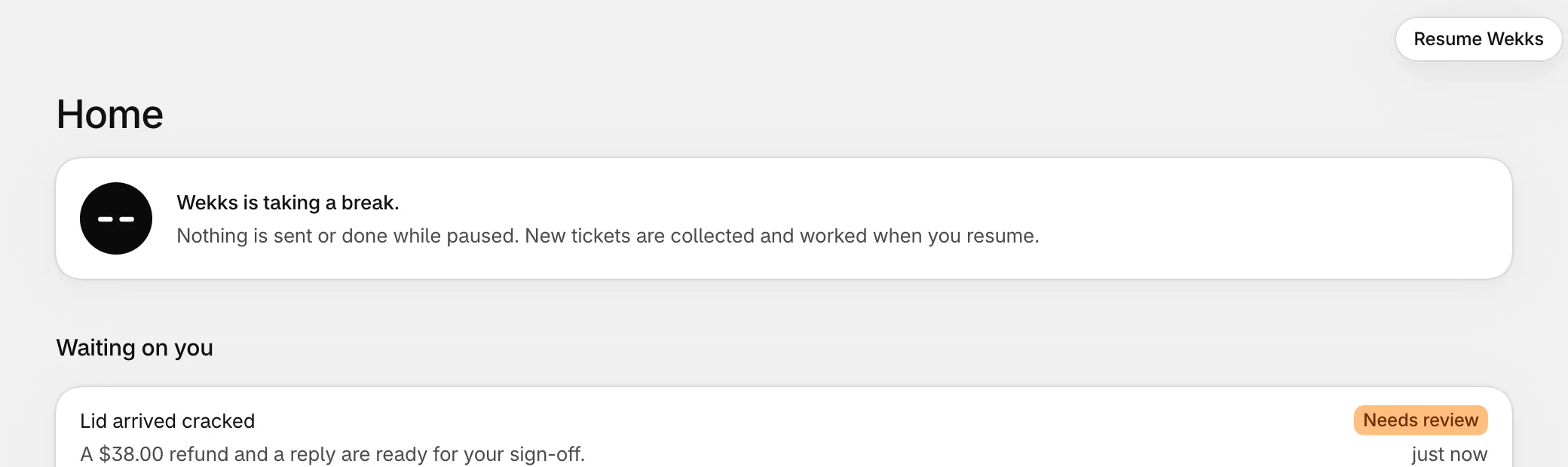
While Wekks is paused:
- Wekks sends nothing and changes no orders on its own.
- New tickets are still collected.
- Your team carries on in Gorgias as normal.
- A draft someone approves still goes out, because a person decided it.
Select Resume Wekks and it works every ticket that waited, unless a teammate has already answered it.
If Wekks does something you didn't expect
Pause it first, then write to us. Pausing is instant and loses nothing.
Analytics
Analytics shows how Wekks is doing over the last 7, 30 or 90 days. Choose the period at the top.
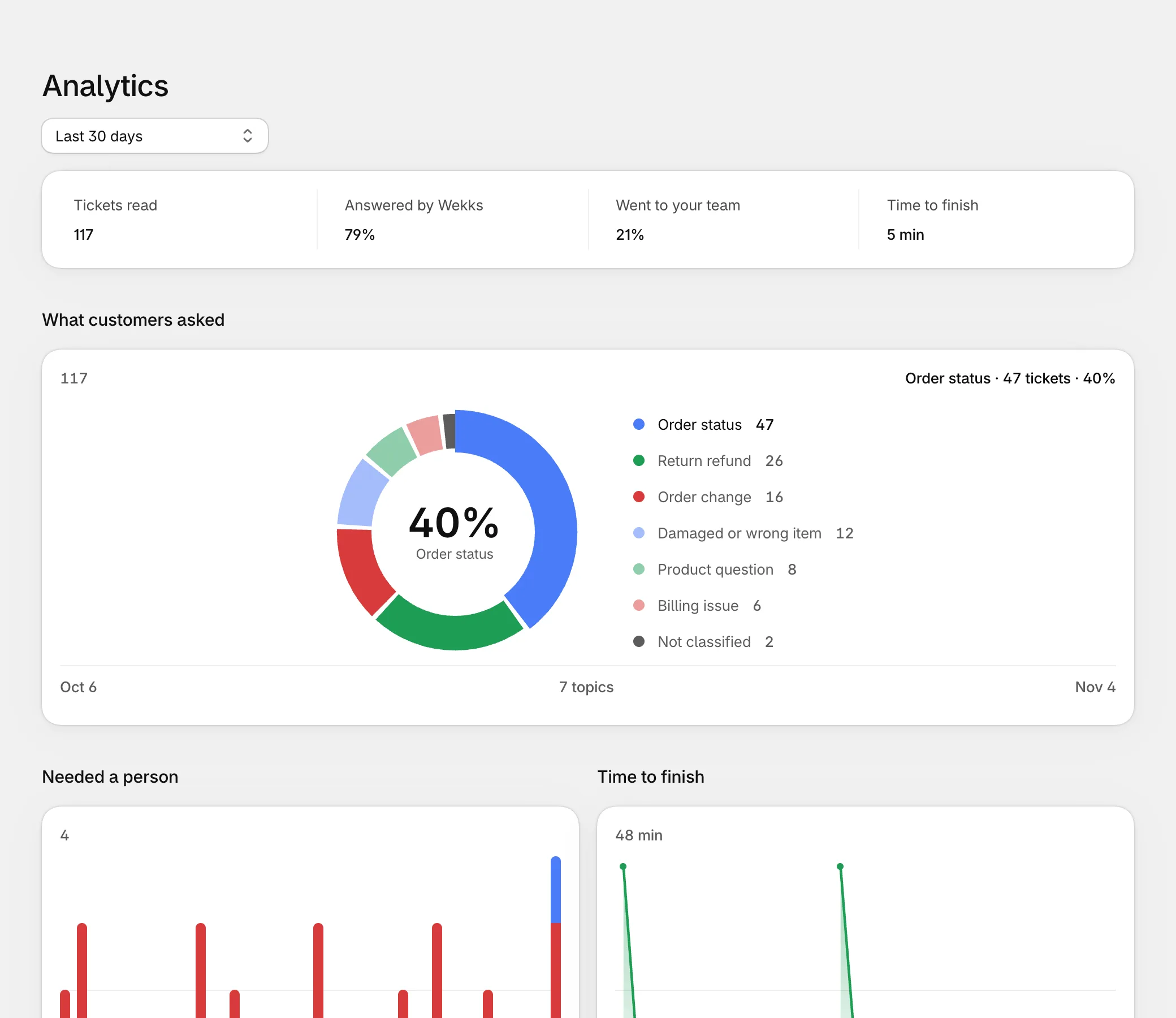
| Figure | What it means |
|---|---|
| Tickets read | Each time Wekks worked a ticket in the period. A ticket that comes back counts again. |
| Answered by Wekks | Of the tickets someone finished for a customer, the share Wekks finished. |
| Went to your team | The rest of those tickets. |
| Time to finish | How long Wekks typically took once it started on a ticket, as a median. |
Tickets in Watch don’t count toward Answered by Wekks, since Wekks only watched those. A store still fully in Watch shows a dash.
The charts below show your tickets by topic, each day’s tickets that went To the team or are in Needs review, and the median time to finish for each day.
The record for each play is on Plays. Analytics shows your whole store.
Why the numbers can look low in Watch
Once Wekks has 20 graded tickets on a topic in Watch, it only works about one in five new tickets on that topic. It has enough evidence by then, so this avoids wasted work. Tickets in Draft and Auto are always worked.