The plan
There is one plan: $39 a month plus $0.99 for each ticket Wekks resolves. Shopify bills it on your usual invoice, so we never see your card.
| Resolved tickets in a month | Your bill |
|---|---|
| 0 | $39.00 |
| 100 | $138.00 |
| 200 | $237.00 |
| 500 | $534.00 |
You also set a monthly budget for the per-ticket part, and Wekks never goes over it. The default of $200 covers 202 resolved tickets.
How your first weeks work
There are two free periods, one after the other.
Starts when you install. Wekks reads tickets and grades itself. It sends nothing.
$0Starts when you choose a plan. Wekks can draft and reply, for up to 200 resolved tickets.
$0Billed on your Shopify invoice, up to the monthly budget you set for the per-ticket part.
$39 a month + $0.99 per resolved ticketYou don’t have to wait out the first 14 days: the plan’s trial starts whenever you choose a plan. Once it has used its 200 free resolved tickets, Wekks keeps reading and grading, and your team answers until the trial ends. A reply sent in Auto on the trial’s last day settles a day later, so it can be charged.
If you don’t choose a plan by the end of the first 14 days, Wekks stops taking tickets and your team answers as before. Choose a plan any time and it picks up the next ticket, with everything it learned kept.
What counts as a resolved ticket
You’re only charged when Wekks finished the job.
| What happened | Charged? |
|---|---|
| Auto: the reply went out, and no teammate had to reply within 24 hours | $0.99 |
| Draft: a person approved it, with or without edits | $0.99 |
| Watch | Free |
| Handed off to your team, including any holding reply | Free |
| A replacement your team creates | Free |
| A rejected draft | Free |
| A ticket Wekks couldn’t finish | Free |
| Auto, but a teammate replied within 24 hours | Free |
Each ticket counts once, however many messages it takes. That’s why a reply in Auto shows as “waiting to settle” for a day: Wekks checks whether anyone had to step in before it counts.
Your monthly budget
The budget caps what resolved tickets can cost in a month, and Wekks never goes over it. Every store starts at $200. The $39 monthly fee is separate, so with the default budget the most you can pay in a month is $239.
Change it in Settings → Monthly budget, to anything from $0 to $100,000. Only the store’s owner can. It resets with your Shopify billing cycle.
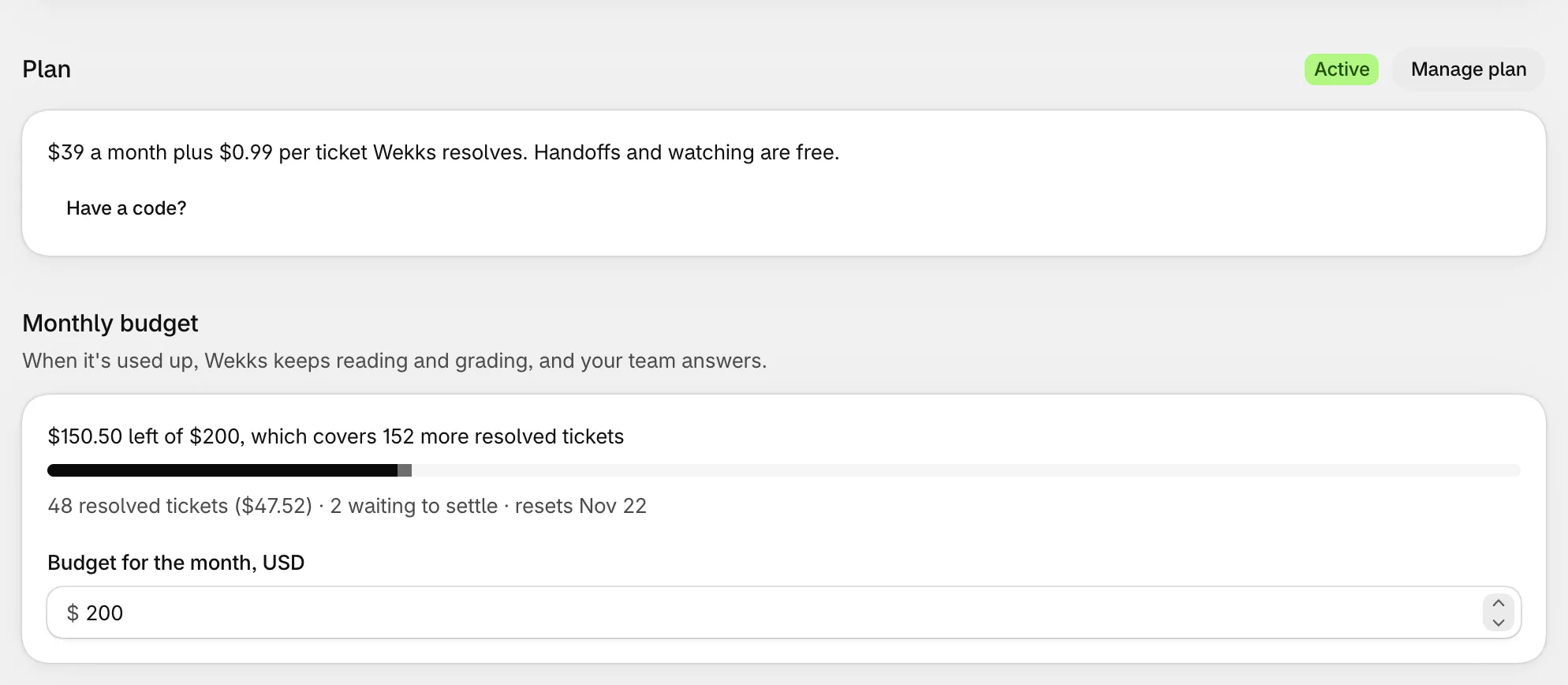
- Left is what remains, and how many more resolved tickets that covers.
- Waiting to settle is Auto replies inside their 24 hours. They count against the budget already, so it can’t be overrun.
- At this pace tells you when it would run out, if that’s before it resets.
At 80% used, a banner warns you on Home.
When the budget runs out
- Wekks keeps reading tickets and grading itself.
- It stops drafting and replying, and your team answers.
- Drafts already waiting can’t be approved until there’s room.
Raise the budget or wait for it to reset, and Wekks carries on.
During the plan’s free trial
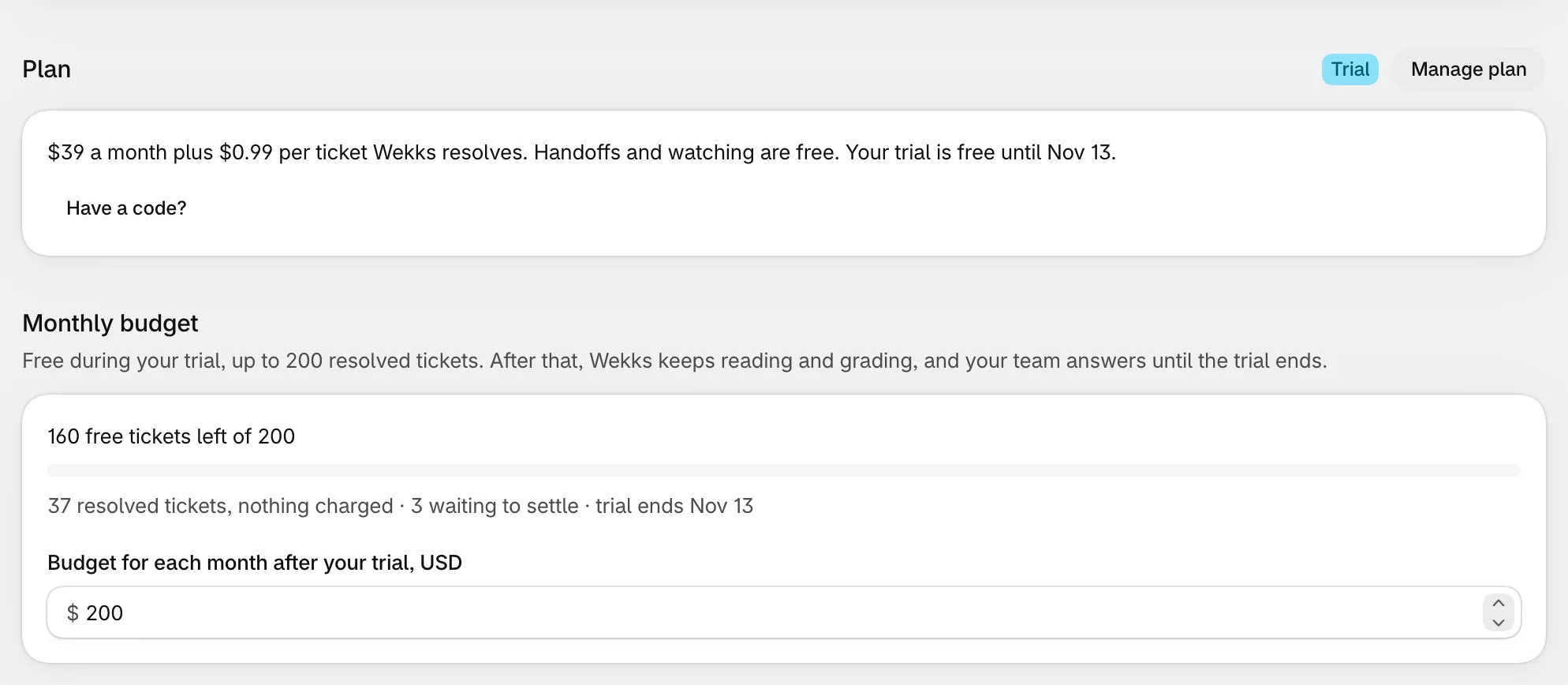
Nothing is charged, so Settings counts tickets instead of dollars. The limit is 200 resolved tickets. Your budget can lower that, but not raise it. The field here sets your budget for each month after the trial.
Credits
Credits are money we give a store, usually so it can see Wekks on real tickets before paying. If we’ve sent you a code, it looks like WEKKS-XXXX-XXXX. Go to Settings → Plan, select Have a code?, and enter it. It’s also in the setup guide.
- A store can use one code, once.
- Before you have a plan, credits let Wekks draft and reply.
- Credits are spent before anything is billed, and don’t count against your budget.
- They wait during the plan’s free trial, and pick up after it.
- They don’t extend your first 14 days: you still need a plan after that.
- They have no cash value, and a code may expire.
Think your store would be a good fit for credits? Ask us.
Changing or ending your plan
Select Manage plan in Settings to go to Shopify’s plan page.
To stop altogether, uninstall Wekks from Shopify. It stops at once and fees stop with it. What happens to your data.
If a plan lapses, for example if a payment fails, Wekks stops taking tickets until it’s sorted out, and your team answers as usual.